

Vacuuming is a chore nobody wants to be interrupted—especially when your vacuum suddenly stops working mid-clean. Whether you’re tackling pet hair, dust, or everyday dirt, a malfunctioning vacuum can throw a wrench into your cleaning routine. Vacuum cleaners can stop working for a variety of reasons, ranging from mechanical issues like clogged brushes to electrical problems or simple maintenance oversights. Understanding why your vacuum fails is the first step to getting it back up and running quickly.
Fortunately, MOVA Tech offers reliable and durable cleaning solutions designed to reduce these common problems. Their flagship MOVA robot vacuum combines smart technology with robust design, ensuring powerful suction and hassle-free operation. With features that prevent jams, maintain airflow, and extend battery life, MOVA robot vacuums keep your home spotless without the frustration of unexpected breakdowns. Read on to learn why vacuums stop working and how to fix them — or when it might be time to upgrade to a smarter cleaning companion.
Common Reasons Vacuum Cleaners Stop Working
1 Clogged Filters or Hoses
One of the most frequent causes of vacuum failure is clogged filters or hoses. Over time, dirt, dust, and debris accumulate and block airflow, reducing suction power dramatically. When the filters or hoses are blocked, the vacuum struggles to pull air through, causing it to lose efficiency or even stop working altogether. Signs of clogged filters or hoses include a noticeable drop in suction, strange noises, or the vacuum overheating. Regularly checking and cleaning these parts can prevent many issues.
2 Overheated Motor
Vacuum motors can overheat if the machine is used continuously for extended periods or if airflow is obstructed by clogs. When the motor overheats, many vacuums have a built-in automatic shut-off feature to prevent damage or fire hazards. If your vacuum suddenly powers off during use, overheating could be the cause. To fix this, allow the vacuum to cool down for at least 30 minutes before trying again. Prevent overheating by keeping filters and hoses clean and avoiding overworking the vacuum.
3 Full Dust Bin or Bag
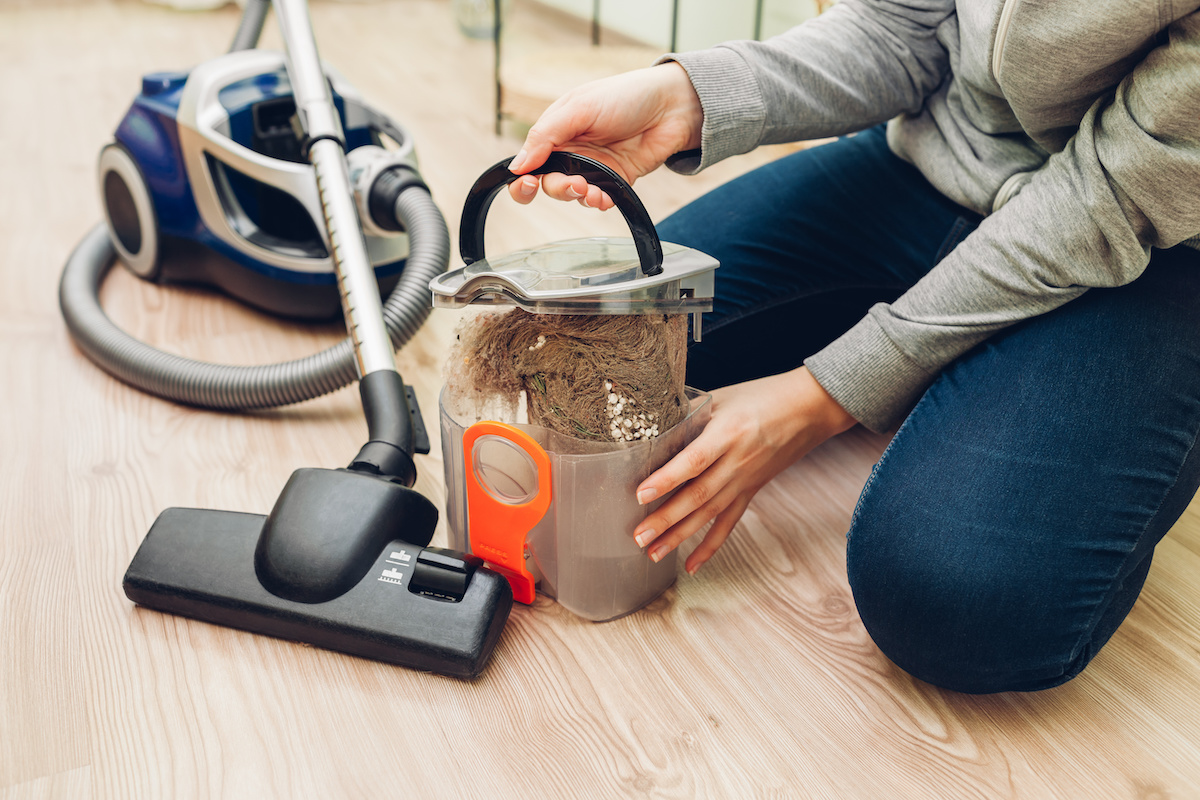
A full dust bin or bag significantly reduces the vacuum’s suction power because there is no room left to collect more debris. This is a common reason many vacuums stop working properly. Regularly emptying the dust container or replacing the bag ensures optimal performance. For bagless models, clean the bin after every few uses; for bagged vacuums, replace bags before they are completely full.
4 Broken or Jammed Brush Roll
The brush roll is vital for loosening dirt and debris from carpets. However, it can get jammed with pet hair, threads, or carpet fibers, preventing it from spinning freely. A jammed brush roll reduces cleaning effectiveness and may cause the vacuum to stop working. Regularly inspect and clean the brush roll to avoid these blockages.
5 Electrical or Battery Issues
Electrical problems such as damaged power cords, loose connections, or worn-out batteries can also cause vacuums to stop working. Corded vacuums may fail due to frayed wires or plugs, while cordless or robot vacuums like the MOVA robot vacuum experience battery degradation over time, leading to shorter run times or failure to power on. Check cords for damage and replace batteries as needed to maintain performance.
Step-by-Step Fixes for Common Vacuum Problems
When your vacuum stops working, don’t panic—many issues have simple DIY solutions. Whether you own a MOVA robot vacuum or a traditional model, these step-by-step fixes can help restore performance quickly.
1 Clean or Replace Filters
Clogged filters are a leading cause of poor suction. MOVA Tech vacuums use high-efficiency filters that need regular maintenance.
HEPA vs. standard filters:
- HEPA filters trap smaller particles but clog faster—clean every 1–2 weeks.
- Standard filters can often be rinsed (check your manual).
Replacement frequency:
- Washable filters: Clean monthly, replace yearly.
- Disposable filters: Replace every 3–6 months.
Tip: Always let filters dry completely before reinserting to prevent mold.
2 Remove Hose and Brush Roll Blockages
Debris stuck in hoses or brush rolls can halt your vacuum.
For hoses:
- Detach the hose and use a long, flexible brush or straightened coat hanger to clear clogs.
For brush rolls (especially in MOVA robot vacuums):
- Use scissors or a seam ripper to carefully cut away hair and threads.
- Rotate the brush manually to check for smooth movement.
Warning: Avoid using sharp tools that could damage internal parts.
3 Empty the Dust Bin or Bag Regularly
A full bin strains the motor and reduces suction.
For bagless models (like most MOVA Tech vacuums):
- Empty after each use for heavy debris (e.g., pet hair).
- For light use, empty every 2–3 sessions.
For bagged models:
- Replace bags when 2/3 full to maintain airflow.
4 Reset the Vacuum if Overheated
If your vacuum shuts off unexpectedly, overheating may be the culprit.
Cooling time: Wait at least 30–60 minutes before restarting.
Reset button (on some models):
- Unplug the vacuum, press the reset button (if available), then plug it back in.
- For MOVA robot vacuums, hold the power button for 10 seconds to reboot.
5 Check Power Source or Battery
Electrical issues are often easy to fix.
Corded vacuums:
- Inspect the cord for frays or damage.
- Test the outlet with another device.
Cordless/robot vacuums (e.g., MOVA robot vacuum):
- Ensure the charging dock is plugged in and contacts are clean.
- If runtime is short, recalibrate the battery by fully draining it, then charging uninterrupted for 4+ hours.
- Replace batteries that no longer hold a charge (check MOVA Tech’s warranty).
Preventative Maintenance Tips to Keep Your Vacuum Running Longer
- Establish a regular cleaning schedule for filters, dust bins, hoses, and brush rolls
- Store your vacuum in a dry, cool place to prevent moisture damage
- Always use manufacturer-approved parts and accessories for repairs or replacements
- Choose vacuums like MOVA robot vacuum designed for easy maintenance with removable brush rolls and washable filters
In summary, vacuum cleaners often stop working due to clogged filters, overheated motors, full dust bins, jammed brush rolls, or electrical issues. Following simple troubleshooting steps like cleaning filters, removing blockages, emptying dust bins regularly, and checking power sources can quickly restore your vacuum’s performance. Regular maintenance is essential to extend the lifespan of your MOVA robot vacuum and keep it running efficiently. With MOVA Tech’s reliable products and dedicated customer support, you can enjoy hassle-free cleaning and expert assistance whenever you need it. Invest in MOVA for a smart, durable cleaning solution.